

Accounts payable is one of the most important functions in any organisation, but it is also an area where finance teams can become trapped in repetitive manual work. Supplier invoices have to be received, data has to be extracted, purchase orders need to be identified, goods or services have to be confirmed, tax information must be checked, approvals have to be obtained and the final transaction must be posted into the organisation’s ERP system. When these activities are performed manually, even a relatively straightforward invoice can require multiple emails, spreadsheets, ERP screens and follow-ups.
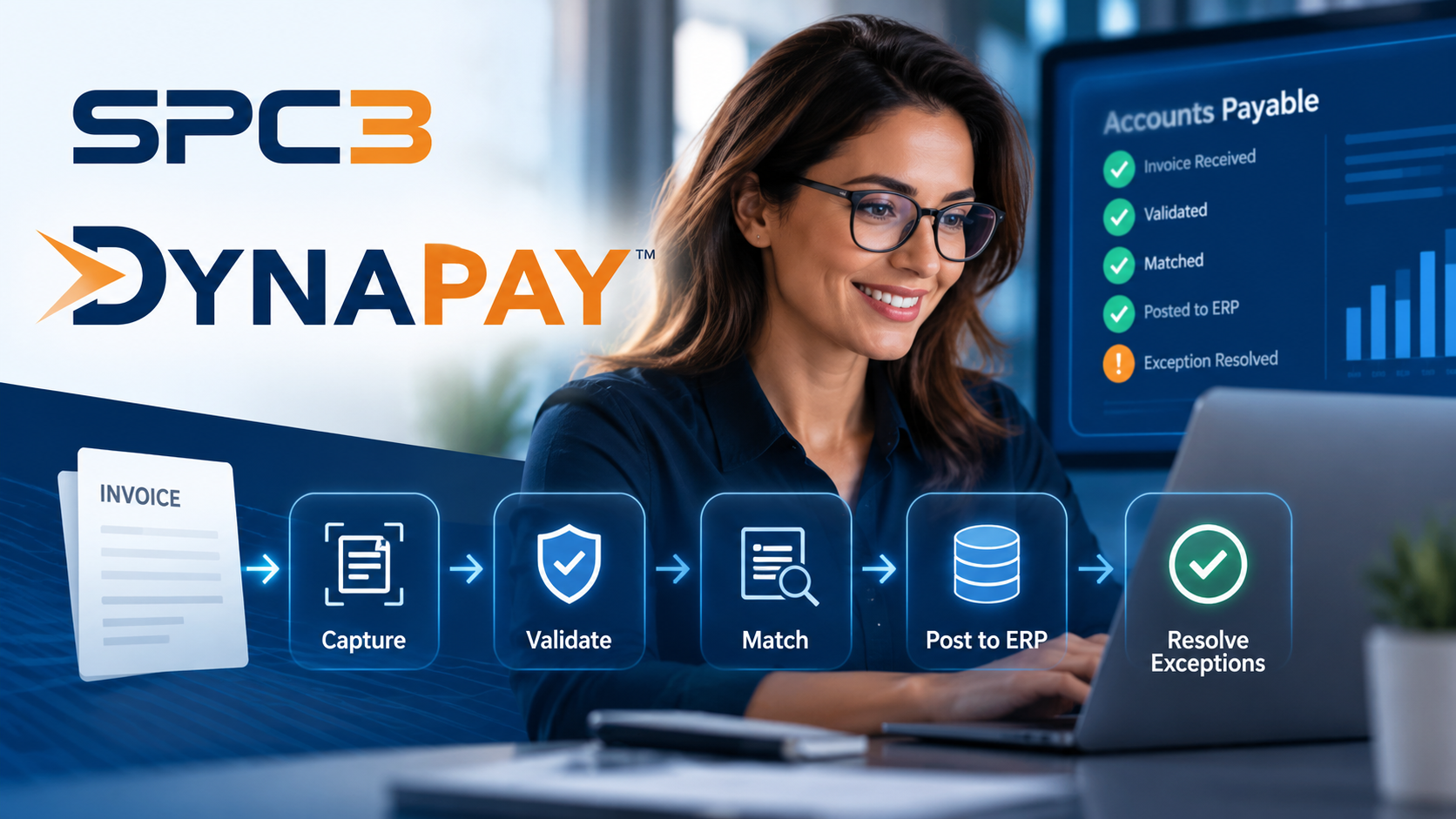
This is where accounts payable automation is increasingly becoming important. Modern AP automation platforms are designed not merely to read an invoice, but to take the transaction through multiple stages of the process. SPC3’s DynaPay, for example, describes a workflow that captures supplier invoices, validates the information, matches invoices against purchase orders and receipts, posts approved transactions into the ERP and follows exceptions through to resolution.
What Is Accounts Payable Automation?
At its simplest, accounts payable automation means using software to reduce the amount of manual work required to process supplier invoices.
A traditional invoice process may look something like this:
Invoice received → Data entered → PO located → Receipt checked → Invoice matched → Approval requested → ERP entry → Payment process
Every stage can create delays. An invoice may arrive without a purchase-order number. The purchase order may exist but the goods receipt may be missing. The invoice may contain a price that differs from the contracted rate. A duplicate invoice may accidentally enter the system. Or the person responsible for approving the transaction may not respond promptly.
Automation attempts to manage these situations systematically rather than requiring an AP employee to manually investigate every invoice.
The objective is not simply to process invoices faster. A well-designed system should also improve visibility, maintain an audit trail and ensure that exceptions are routed to the appropriate person.
Why Manual Invoice Processing Becomes Expensive
The cost of manual accounts payable processing is often underestimated because the expense is distributed across several activities.
Finance teams may spend time on:
- Entering invoice information
- Searching for purchase orders
- Matching invoices against receipts
- Investigating discrepancies
- Following up with employees and suppliers
- Resolving ERP holds
- Correcting data-entry errors
- Checking duplicate invoices
- Obtaining approvals
- Responding to supplier payment queries
None of these activities necessarily looks significant when considered individually. The problem appears when thousands or tens of thousands of invoices pass through the organisation every year.
SPC3 similarly identifies labour, error correction, supplier management and opportunity costs as components of the broader cost of invoice processing.
From Invoice Capture to Touchless Processing
One of the important developments in AP automation is the movement from simple invoice scanning toward end-to-end processing.
Earlier generations of invoice automation primarily focused on data capture. Software would extract information such as the supplier name, invoice number, date, amount and tax details. However, someone still had to determine whether the invoice was legitimate, identify the correct purchase order, resolve discrepancies and complete the ERP transaction.
Modern systems attempt to connect these stages.
DynaPay describes a workflow in which invoices are received and validated, matched against purchase orders and receipts, posted into the ERP and then monitored when exceptions occur.
The distinction is important.
OCR or invoice capture answers:
“What does this invoice say?”
AP automation attempts to answer:
“Can this invoice be safely processed, what should it be matched against, and what needs to happen if something is wrong?”
The Importance of Three-Way Matching
Three-way matching is one of the most important controls in accounts payable.
The process generally compares three pieces of information:
- Purchase Order – What did the organisation order?
- Goods Receipt or Service Confirmation – What was actually received?
- Supplier Invoice – What is the supplier asking to be paid?
For example, imagine that a company places a purchase order for 100 units at $50 per unit. The warehouse records receipt of 100 units, but the supplier submits an invoice for 110 units at $55 per unit.
A manual process requires someone to identify the discrepancy.
An automated system can compare the relevant information and flag the transaction before it is posted or paid.
SPC3 describes DynaPay as supporting complex PO matching, including invoices that may span multiple purchase orders and situations where the purchase-order reference is missing.
Exception Management May Be More Important Than Automation
A common misconception is that successful AP automation means every invoice should pass through without human involvement.
In reality, some invoices genuinely require human judgment.
An invoice may have:
- No valid purchase order
- A missing receipt
- An unexpected price
- Incorrect tax information
- A supplier mismatch
- An unusual charge
- A quantity discrepancy
- An approval requirement
The objective should therefore be to automate the routine transactions while making the exceptions easier for people to resolve.
DynaPay describes this approach as allowing clean invoices to move through the process while coordinating the next action when something is missing or incorrect.
This changes the role of the AP team.
Instead of spending most of the day processing routine invoices, employees can concentrate their attention on transactions that genuinely require investigation or judgment.
Rate-Card Compliance: An Additional Layer of Control
Invoice-to-PO matching is not always enough.
A purchase order may exist, and the quantity may be correct, but the supplier could still invoice at a rate that differs from the agreed contractual price.
For organisations with large supplier bases, contracted rate cards can contain thousands of prices and conditions.
DynaPay describes a rate-card compliance capability that checks invoice lines against contracted rates and can place transactions on hold when an overcharge or prohibited charge is detected.
This illustrates an important direction in AP automation: software is increasingly being used not only to process transactions, but also to apply financial controls during processing.
The Role of ERP Integration
AP automation does not necessarily mean replacing an organisation’s ERP.
In fact, one of the key principles of modern enterprise automation is often to keep the existing ERP as the system of record while adding specialised automation around it.
SPC3 states that DynaPay is designed to work with ERP environments including Oracle Fusion Cloud and describes integrations involving SAP S/4HANA, Dynamics 365, Workday and NetSuite.
A simplified architecture looks like this:
Suppliers → Invoice → AP Automation → Validation & Matching → ERP → Payment
The automation layer performs specialised processing while the ERP remains responsible for the organisation’s financial records and broader transaction environment.
What Happens When an Invoice Is Put on Hold?
This is where automated exception management can become particularly valuable.
Consider an invoice that has successfully entered the ERP but cannot proceed because a goods receipt has not been recorded.
In a traditional process, an AP employee might discover the hold, identify the relevant employee, send an email, wait for a response and then manually check the ERP again.
An automated workflow can identify the hold, determine what action is required, request the missing information and monitor the transaction until the issue is resolved.
SPC3 describes DynaPay as monitoring ERP holds, requesting missing receipts and tracking the invoice toward release.
The value therefore comes not just from automating the first step, but from maintaining continuity throughout the transaction.
Can AP Automation Reduce Finance Team Workloads?
The potential benefit depends heavily on invoice volumes, process complexity, ERP configuration, supplier behaviour and the quality of the implementation.
SPC3 reports a reference deployment in which invoice processing increased from 8,000 to 23,000 invoices per FTE annually, alongside a reported 60% reduction in manual handling and 40% lower cost per invoice. These are SPC3’s stated results for a particular high-volume Australian enterprise deployment and should not automatically be interpreted as results every organisation will achieve.
This distinction is important when evaluating automation software.
Companies should examine their own baseline metrics before estimating potential savings.
Useful measurements include:
- Invoices processed per AP employee
- Average cost per invoice
- Percentage of invoices requiring manual intervention
- PO-match rate
- Average invoice-processing time
- Number of invoices on hold
- Average exception-resolution time
- Duplicate-payment incidents
- Early-payment discounts captured
- Supplier-query volumes
These metrics provide a much more useful basis for evaluating an automation project than simply asking whether the software uses AI.
AI Is Not the Whole Story
The term AI-powered AP automation can sound impressive, but AI alone does not solve the underlying operational problem.
An effective enterprise system needs several components working together:
Data extraction + validation + business rules + matching + workflow + ERP integration + exception management + auditability
AI can assist with interpreting documents, identifying relationships and handling complex cases. But finance teams also need predictable controls, traceability and the ability to understand why an automated decision was made.
For regulated or financially sensitive environments, the question should therefore not simply be:
“How intelligent is the AI?”
A better question is:
“Can the organisation understand, control, audit and govern what the automation is doing?”
SPC3 explicitly describes its approach around explainable decisions, visible exceptions and maintaining the ERP as the system of record.
What Should Businesses Look for in an AP Automation Platform?
Before selecting an AP automation solution, finance and procurement teams should evaluate several areas.
1. Invoice Capture
Can the platform accurately extract header, line-item and tax information from different invoice formats?
2. Matching
Can it handle straightforward as well as complex purchase-order matching?
3. Exception Management
What happens when the invoice does not match? Does the system simply place it in a queue, or does it help identify and resolve the underlying problem?
4. ERP Integration
Can the system integrate with the organisation’s existing ERP without requiring a major replacement project?
5. Audit Trail
Can finance teams see what checks were performed, what decisions were made and what happened to the invoice?
6. Controls
Can the organisation configure approval rules, tax checks, supplier validation, duplicate detection and other financial controls?
7. Measurement
Can management measure the actual effect on processing volume, manual work, exceptions and cost per invoice?
The Future of Accounts Payable
The future of AP is unlikely to be defined simply by eliminating data entry.
The larger opportunity is to create an environment where routine invoices move through the organisation with minimal intervention, while unusual transactions are automatically identified and routed to the right people. That means the AP department can increasingly move away from being a transaction-processing function and toward a function focused on financial control, exception management, supplier relationships and working-capital optimisation.
SPC3’s DynaPay is one example of this broader direction. Its stated workflow combines invoice capture, validation, matching, ERP posting and exception resolution, while the wider SPC3 product suite addresses supplier management and procurement workflows.
Conclusion
Accounts payable automation is evolving from simple invoice digitisation into a broader operational discipline. The strongest systems do more than extract information from PDFs. They connect invoices with purchase orders, receipts, supplier information and ERP records, apply financial controls, identify exceptions and help move transactions toward resolution. For finance leaders, the most important question is therefore not simply whether their organisation should “use AI.” The more practical question is where manual work is consuming time, where exceptions are creating bottlenecks, and where automation can improve both efficiency and control. As invoice volumes increase and finance teams are expected to accomplish more with existing resources, intelligent AP automation may become an increasingly important part of the modern finance technology stack.
